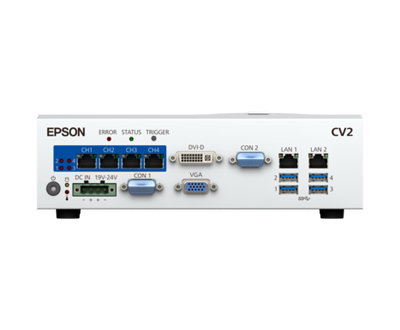
Vision Guide specifications
Epson Vision
Model introduction
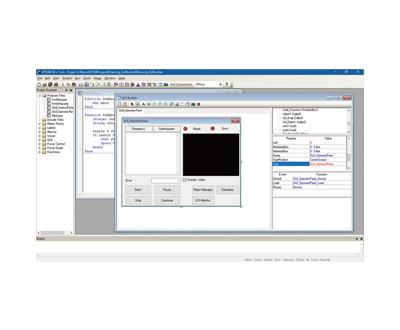
Epson Vision is easy to use: simple visual object recognition (such as positioning coordinates) enables rapid system setup and deployment. Visual objects can be operated by simple drag-and-drop or release. The intuitive interface is simple and easy for beginners to operate. Convenience: EPSON RC+ software can be applied to robot and machine vision program development. Other brands' machine vision systems are more complex to set up because machine vision and robot program development require different software. One-stop service: Whether you need assistance during installation, commissioning, or production runtime, Epson provides convenient one-stop services for robots and machine vision. With just one service call to coordinate your production line, it will be back up and running immediately.
Exclusive Vision Guide highlights
Simple visual object recognition (such as positioning coordinates) enables rapid system setup and deployment. Visual objects can be operated by simple drag-and-drop or release. The intuitive interface is simple and easy for beginners to operate.
EPSON RC+ software can be applied to robot and machine vision program development. Other brands' machine vision systems are more complex to set up because machine vision and robot program development require different software.
Whether you need assistance during installation, commissioning, or production runtime, Epson provides you with convenient one-stop services in robotics and machine vision. With just one service call to coordinate your production line, it will be back up and running immediately.
Epson's vision software includes a simulator that allows you to see robot operations and workflows before the equipment is actually installed. This makes it easier to plan and configure the system to maximize productivity, while allowing program development during system setup. Before system installation, visual and program sequences can be prepared in advance. Programs that include reverse order at the image can be tested offline.
The built-in image processing engine allows the camera field of view to be easily aligned with the robot's coordinate system, eliminating the need for visual Robot calibration requires complex programming.
Vision and Automation Options · Series technical features
Epson offers a full set of options including visual guidance, force sensing, conveyor track tracking, and I/O expansion, deeply integrated with robot controllers to quickly build complete automation units.
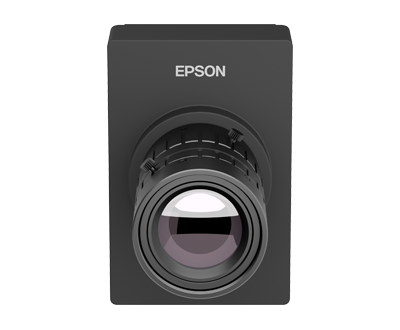
Epson's vision system guides positioning, detection, and recognition out of the box.
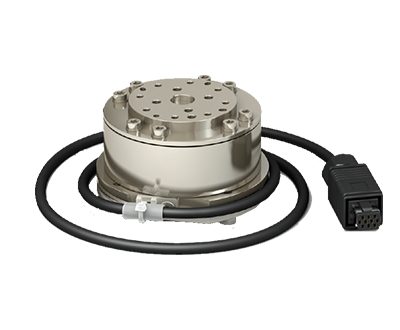
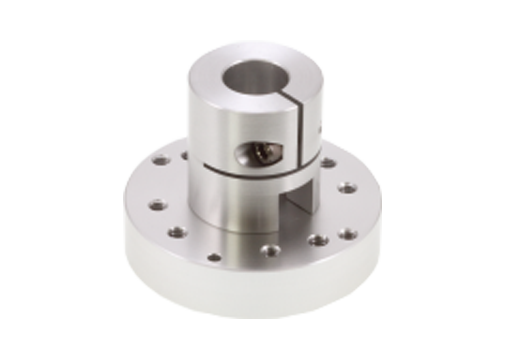
Force Sensor enables precise assembly and force control operations.
Conveyor Tracking supports dynamic grabbing of assembly line workpieces.
Extensive options for expansion I/O, analog gauge boards, and fieldbus.
Typical application scenarios
Common application processes for this model (click to view process details):
Vision and Automation Options · Other models in the same series
Compare load and reach to choose the model that best suits your process.
Need technical support or procurement for this model?
Whether it's model selection comparison, installation and commissioning, or maintenance of in-use equipment, you can contact Henghuan. Tell us about your processes, loads, and equipment status, and we will provide third-party technical support and solution recommendations.
Contact Henghuan Back to the full series